Java Package
Package are used in Java, in-order to avoid name conflicts and to control access of class, interface and enumeration etc. A package can be defined as a group of similar types of classes, interface, enumeration and sub-package. Using package it becomes easier to locate the related classes.
Package are categorized into two forms
- Built-in Package:-Existing Java package for example
java.lang,java.utiletc. - User-defined-package:- Java package created by user to categorized classes and interface
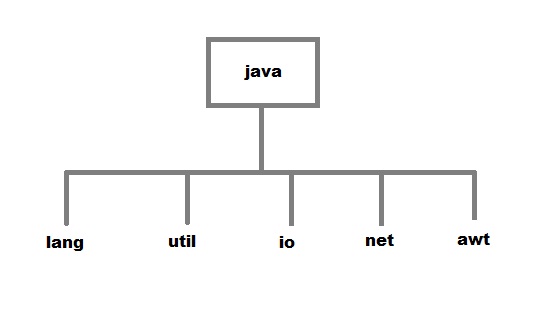
Creating a package
Creating a package in java is quite easy. Simply include a package command followed by name of the package as the first statement in java source file.
package mypack;
public class employee
{
 ...statement;
}
The above statement create a package called mypack.
Java uses file system directory to store package. For example the
.class for any classes you to define to be part of mypack package must be stored in a directory called mypackExample of package creation
package books
class Book
{
 String bookname;
 String author;
 Book(String b, String c)
 {
  this.bookname = b;
  this.author = c;
 }
 public void show()
 {
  System.out.println(bookname+" "+ author);
 }
}

class test
{
 public static void main(String[] args)
 {
  Book bk = new Book("java","Herbert");
  bk.show();
 }
}
To run this program :
- create a directory under your current working development directory(i.e. JDK directory), name it asmypack.
- compile the source file
- Put the class file into the directory you have created.
- Execute the program from development directory.

No comments:
Post a Comment